Mastering Small-Diameter Drain Camera Inspections: A Guide for Aussie Tradies
Small pipes can turn a straightforward inspection into a frustrating afternoon pretty quickly.
You might have a camera that works beautifully in a standard sewer line, but once you’re dealing with tighter waste pipes, short-radius bends or awkward access points, the size of the camera head and flexibility of the push cable start to matter a lot more.
That’s why small-diameter drain inspections aren’t simply about buying the smallest camera you can find.
You need the right combination of camera size, push rod, lighting and access for the pipe you’re actually inspecting.
In this guide, we’ll look at what Aussie plumbers should consider when choosing a camera for smaller pipework, how to avoid unnecessary damage to your equipment and where different Razorback camera systems fit.
Key Takeaways
- Match the camera head and push cable to the actual pipe diameter and layout rather than assuming one camera will handle everything.
- Razorback’s 21mm systems are primarily designed for approximately 90–150mm pipes.
- For tighter or smaller pipe applications, a smaller camera such as Razorback’s 12.8mm option may be more suitable.
- Don’t force a camera through a bend when you’re feeling heavy resistance.
- A built-in sonde and compatible locator can help pinpoint the camera or a visible defect underground.
- Cleaning and inspecting the camera head and push rod after use can help reduce avoidable downtime.
Why Camera Size Matters
One drain camera won’t suit every pipe.
A camera that works well in a 100mm sewer line may simply be too large or too stiff for smaller waste pipework.
That’s where camera-head diameter, overall head length, spring flexibility and push-rod diameter start to make a real difference.
Smaller cameras give you more clearance inside narrower pipes.
But there are trade-offs too.
A small head may have less room for lighting, electronics and other features, while a very flexible cable may not have the same pushing ability over a long run.
The goal is to find the setup that suits the work you actually do.
Don't Assume 21mm Means “Small Pipe”
A 21mm camera sounds small compared with a 29mm or 39mm mainline camera.
But head diameter isn’t the only thing that determines whether a system will get through a particular pipe.
You also need to consider:
- Pipe diameter
- Bend radius
- Number of Bends
- Camera-Head Length
- Spring Design
- Push-Rod Thickness
- Access Point
- Pipe Condition
For example, Razorback currently recommends the Monster 21mm and Boar 21mm mainly for approximately 90–150mm pipes.
For genuinely tighter applications, Razorback also offers a 12.8mm camera head paired with a 4.8mm cable, giving plumbers another option when the standard 21mm setup isn’t suitable.
Choosing a Camera for Small-Diameter Inspections
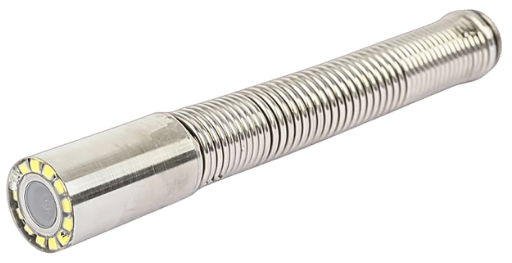
Camera-Head Diameter
Smaller heads provide more clearance in tight pipework.
Razorback’s current range includes:
- 21mm Camera Heads
- 29mm Camera Heads
- 39mm Camera Heads
- 12.8mm Camera Options for Smaller Applications
The Double P Dual Drain Camera combines a 21mm system and a 12.8mm system in the same package and is currently listed for approximately 25–150mm pipe applications.
That makes it particularly relevant for plumbers who regularly switch between standard drainage inspections and smaller waste lines.
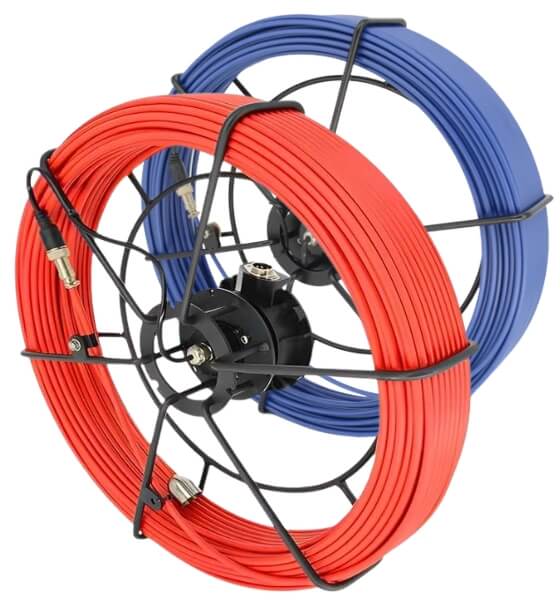
Push-Rod Diameter
The push rod matters just as much as the camera head.
A thicker rod generally gives you more pushing strength.
A smaller rod can provide more flexibility for tighter bends.
The current Monster uses a 50m × 6.8mm kink-resistant fibreglass push rod, while Razorback recommends its 4.8mm cable with the optional 12.8mm camera for tighter applications.
There isn’t one perfect cable diameter for every job.
It’s about balancing flexibility and pushing ability.
Self-Levelling Camera Heads
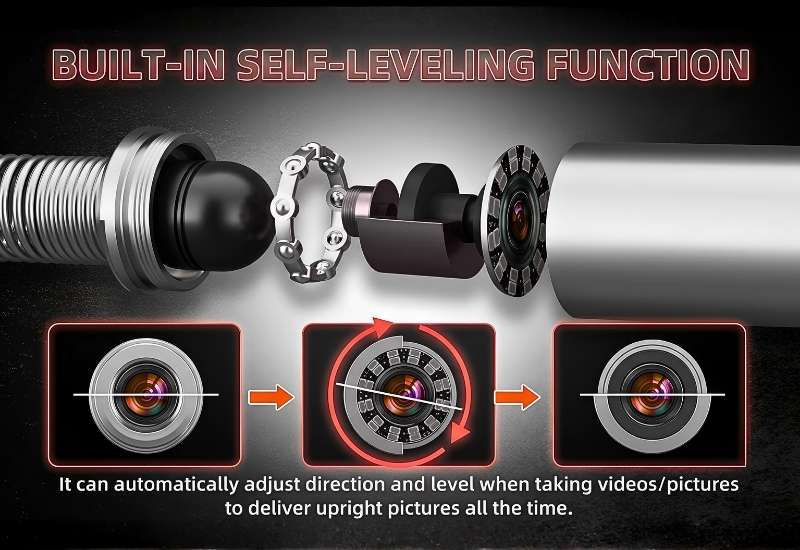
Self-levelling is a handy feature because it keeps the image upright as the camera moves and rotates through the pipe, making footage easier to interpret and show to customers.
Razorback’s drain camera heads include self-levelling, except for the 12.8mm camera head.
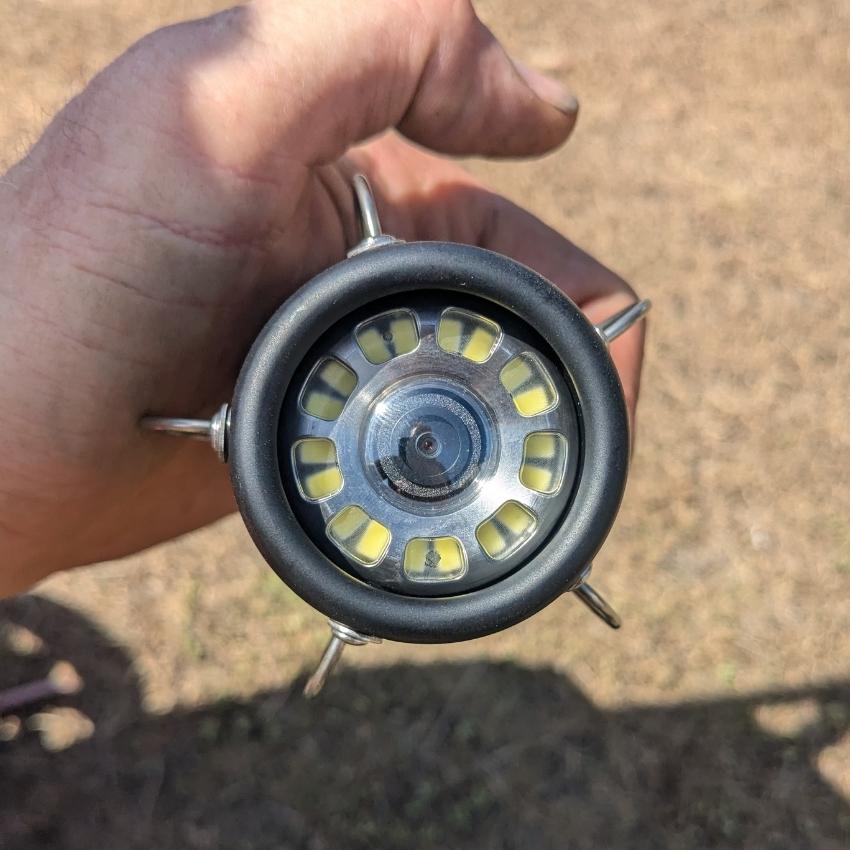
Adjustable Lighting
Lighting becomes especially important in smaller pipes.
The camera is much closer to the pipe wall, which means too much light can create glare on PVC or wet surfaces.
The current Monster 21mm uses adjustable LEDs, allowing the operator to change the light level depending on conditions inside the pipe.
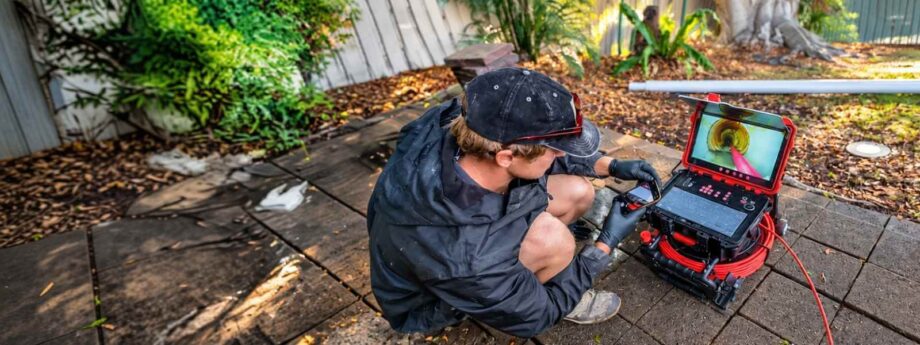
Using a Sonde and Locator
Seeing a fault on screen is useful.
Knowing where that fault sits underground is even better.
Many professional drain cameras include a sonde transmitter inside the camera head.
Razorback systems commonly use a 512Hz sonde, which can be picked up using a compatible locator such as the RIDGID Scout.
This can help you determine the position and depth of the camera or defect before recommending excavation or repair work.
It reduces unnecessary digging and gives you more information when preparing a quote.
Getting Through Tight Bends Without Damaging Your Gear
Small-diameter inspections often become difficult around bends and junctions.
The most important rule is simple:
Don’t force it.
If the camera stops moving and resistance increases sharply, continuing to push harder can damage the cable, spring or camera head.
Back the camera out slightly and reassess the approach.
Sometimes changing the angle or access point will help.
Other times the pipe layout simply isn’t suitable for the camera you’re using.
That’s a good sign that you need a smaller head or more flexible push rod.
Clean the Line When Necessary
Inspection footage is only useful when you can actually see what’s going on.
Heavy grease, sludge or debris may need to be cleared before carrying out a proper inspection.
Depending on the job, that could mean jetting or another appropriate cleaning method before sending the camera through.
Once the pipe is cleaner, you’ll usually get:
- Better visibility
- Less debris on the lens
- Easier movement through the pipe
- Clearer footage for the customer
The camera should help diagnose the pipe — not spend the whole inspection looking through a layer of muck.
Be Careful Around Traps and Tight Junctions
Traps and sharp bends are common places for inspection cameras to become difficult to push or retrieve.
Don’t assume that because the head physically fits into the pipe it will make it through every fitting.
A 50mm pipe with a tight trap, for example, can be very different from a straight 50mm section.
If a camera is repeatedly refusing to pass a bend, don’t keep loading pressure into the push rod.
A smaller camera system or another inspection point may be a better option.
It’s much cheaper to change your approach than retrieve a damaged camera from underground.
Looking After Your Small-Diameter Camera
Smaller camera systems still cop plenty of abuse.
They’re exposed to grease, grit, water and whatever else happens to be inside the drain.
Regular maintenance helps prevent minor wear from becoming a bigger problem.
Clean the Camera After Use
After an inspection, clean the camera head and push rod according to the manufacturer’s instructions.
Pay particular attention to:
- Lens
- Spring
- Connections
- Push Rod
- Cable Coating
- Skids
- Reel
Avoid applying cleaners, lubricants or chemicals unless they’re recommended for your equipment.
Check for Damage
Before the next job, look for:
- Cuts or worn sections in the push rod
- Permanent kinks
- Loose camera-head connections
- Damage to the spring
- Cracks or scratches around the lens
- Intermittent image or lighting problems
Catching those issues early can prevent an equipment failure halfway through an inspection.
Store the System Properly
Keep your camera equipment reasonably clean and dry when it’s not being used.
Protect the control box and electronics from unnecessary moisture, impact and excessive heat.
Your drain camera earns its living on site.
Looking after it between jobs is part of protecting that investment.
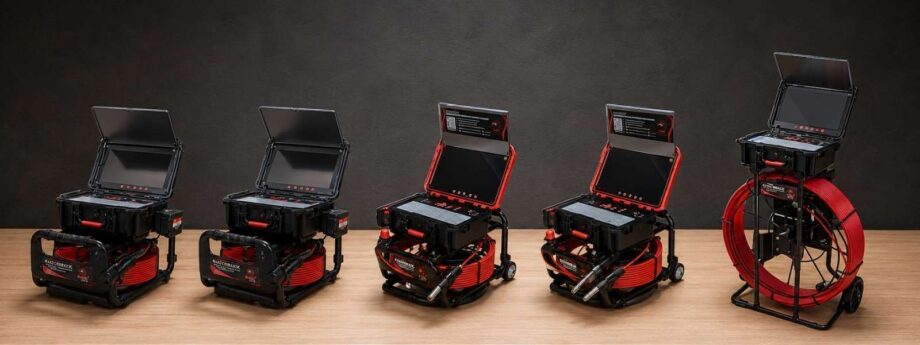
Which Razorback Camera Suits Smaller Pipework?
Razorback has a few different options depending on the type of work you’re doing.
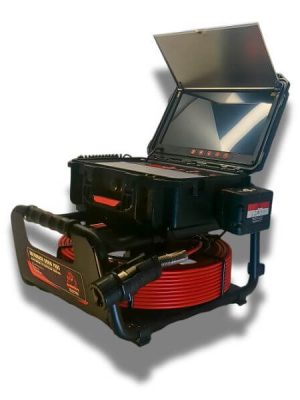
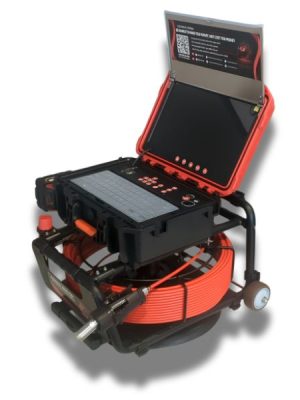
The Monster 21mm
The Monster 21mm is Razorback’s entry-level professional system for maintenance plumbing and approximately 90–150mm pipes.
Its current specification includes:
- 21mm HD 1080P self-levelling camera
- Built-in 512Hz sonde
- Sapphire glass lens
- 50m × 6.8mm kink-resistant fibreglass push rod
- 13.3-inch IPS monitor
- Adjustable LEDs
- Detachable, field-serviceable camera head
It’s a good everyday system for standard residential drainage work, but it shouldn’t be positioned as Razorback’s dedicated 40–50mm camera.
The Boar 21mm
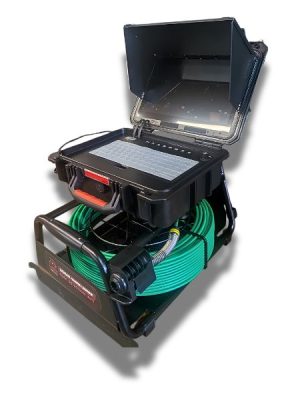
The Boar 21mm is another professional 21mm system aimed at approximately 90–150mm pipes.
It’s designed for routine maintenance and diagnostic work where a 21mm camera is the appropriate size.
Bull Frog 4K Waterproof Drain Camera
Built for plumbers who want sharper footage and a more advanced inspection setup.
Key features:
- 4K Camera System
- 45m × 7.5mm Push Cable
- 13.3-Inch Touchscreen
- Wi-Fi Connectivity
- Self-Levelling Camera
- Built-In 512Hz Sonde
- Optional 35mm Pan-Tilt Head
- External Milwaukee Battery Cradle
Compared with the Monster and Boar, the Bull Frog is better suited to plumbers who want 4K recording, touchscreen control, Wi-Fi and optional pan-tilt capability.
The Double P Dual Drain Camera
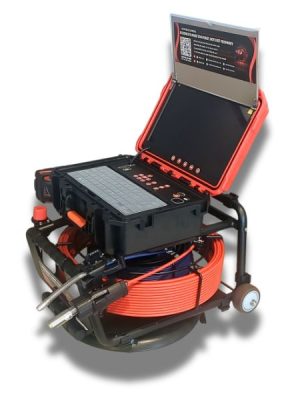
If you regularly work across a wider range of pipe sizes, this is probably the most relevant Razorback product for this article.
The Double P combines:
- 21mm camera
- 12.8mm camera
Razorback currently lists the system for approximately 25–150mm pipes.
That gives you the flexibility to use the 21mm setup for standard drainage work and move to the smaller camera when the job calls for it.
The Beast 29mm
For larger drainage work, The Beast 29mm is designed for approximately 100–300mm pipes.
It uses a 29mm HD 1080P self-levelling camera head with a built-in 512Hz sonde.
That makes it more appropriate where you want a larger head and broader view in bigger pipelines.
Big Unit 39mm
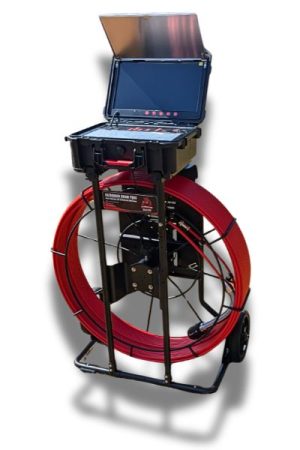
The Big Unit built for larger, longer pipeline inspections in approximately 100–300mm pipes.
Key features:
- 39mm HD 1080P self-Levelling Camera
- Built-In 512Hz Sonde
- 100m Cable
- 13-Inch Recording Monitor
- Adjustable LED Lighting
- External Battery Adaptor Compatibility
A solid option for plumbers tackling bigger pipework and longer inspection runs.
Don't Buy a Camera Based on Head Size Alone
It’s easy to look at a spec sheet and assume the smallest camera will automatically be the best one. But experienced plumbers know the pipe layout matters just as much.
Before choosing your setup, think about:
- The pipe sizes you see most often
- How many bends you’re normally dealing with
- How far you need to push
- Whether locating is required
- Whether self-levelling is important
- How easy replacement parts are to get
- Whether the head and cable can be replaced separately
A camera that’s perfect for one job might be a pain on the next.
That’s why having interchangeable camera options can make a big difference if your work varies.
Local Parts and Repairs Matter Too
Small camera systems aren’t immune to damage.
Cables kink.
Heads get knocked around.
Connections wear.
Screens and control boxes can develop faults.
Razorback currently provides drain-camera repairs from NSW and Queensland and stocks replaceable camera heads, cables, connectors and other components locally. Some repairs can be completed the same day depending on the fault.
That can be particularly useful if CCTV inspections are part of your everyday billable work.
The quicker you can get the equipment sorted, the quicker you’re back on site.
Use the Right Camera for the Right Pipe
Small-diameter drain inspections can be fiddly, but they don’t need to become a wrestling match between you and the push rod.
Start with the pipe.
Work out the diameter, bends, access and inspection distance.
Then choose the camera and cable that actually suit the job.
For standard residential drainage work, a 21mm setup such as the Monster or Boar may be all you need.
For tighter pipework, the 12.8mm option in the Double P gives you another tool when the standard camera isn’t suitable.
No forcing it.
No pretending one camera can handle everything.
Just the right gear for the job.
Designed to make you money, not cost you money.